

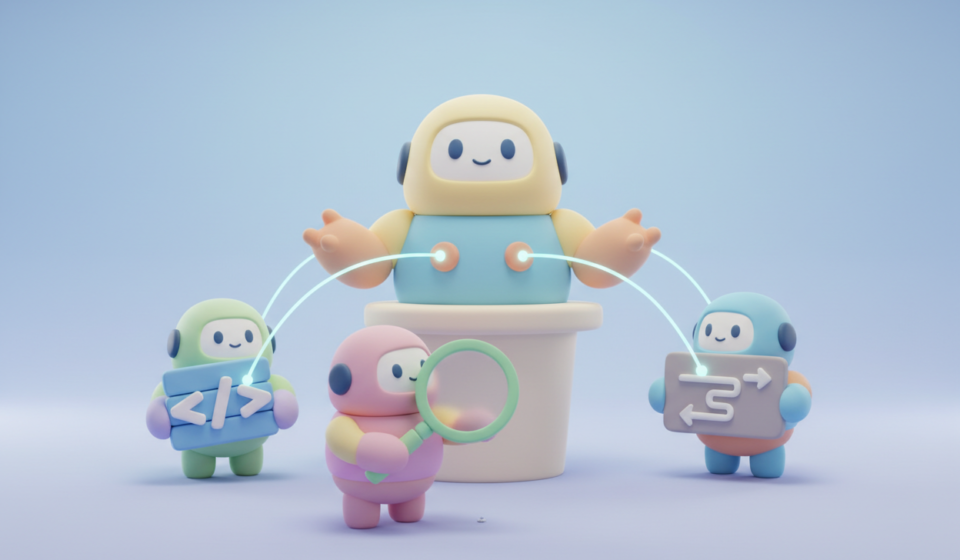
Not All Agents Are Created Equal – A Week with Claude Opus 4.6 and Agent Teams

Table Of Contents
I’ve spent the last week working with Claude’s new Opus 4.6 model and its experimental agent teams feature. The short version: it was simultaneously better and worse than I expected, and the gap between those two things taught me more about working with AI agents than anything I’ve read in a blog post.
If you’re using Claude Code and thinking about diving into agent teams, or you’ve already started and something feels off, this might save you a few headaches. Also, you may want to do something I didn’t do initially, RTFM!
Expecting a Dashboard, Getting an Architect
I came into this with a specific goal. I wanted my test reporting dashboards, done fast. Everything I had done before, but faster. I’d built similar things before with a single agent. Functional, nothing fancy, but they got the job done. I had previous documents I could reuse, why not just jump in.
So I kicked off the work with Opus 4.6, expecting a faster version of what I’d done before.
What I got was a full architecture buildout. Docker containers. Grafana dashboards. Infrastructure I hadn’t asked for and wasn’t going to, this was a proof of concept. Opus didn’t just answer the question, it reframed it entirely. Where I was thinking “JavaScript chart library,” it was thinking “observable monitoring stack.”
Here’s the thing. Once I got over the surprise, I realised it was actually a better solution than what I had initially wanted. More scalable, more maintainable, more aligned with how a technology team would actually want to consume data. But it wasn’t what I asked for, and in the real world, it could have been a problem.
This is one of the quirks of working with a more capable model. It doesn’t just do more, it thinks bigger. And sometimes thinking bigger isn’t what you need.
The lesson here isn’t that Opus got it wrong. It’s that you need to be specific about what you want and, just as importantly, what you don’t want. But I left the door open, and Opus walked through it with a shipping container full of Docker images.

The Model You Don’t Know You’re Using
This was the big one for me, and I suspect it’s catching a lot of people out.
When you set up agent teams in Claude Code, you’ve got a main session and then the agents it spawns to do the actual work. You’d reasonably assume those agents are running on the same model you selected. You’d be wrong.
If you don’t explicitly specify which model each agent should use, the defaults kick in. And depending on configurations, you might have background tasks running on Haiku, the fastest but least capable model in the family. Haiku is built for speed and cost efficiency. It’s not built for complex reasoning or high-quality code generation.
I started to notice code quality coming back was noticeably worse than what I was getting from previous iterations. Things that Opus handled with ease were coming back half-baked from agents that, unbeknownst to me, were running on a completely different model. It was like hiring a master builder to build your house and then finding out they subcontracted to the high school woodworking class.
The fix is straightforward but not obvious. You need to explicitly set the model for each agent in your configuration. You can specify Opus for agents doing heavy reasoning, Sonnet for solid implementation work, and reserve Haiku for genuinely simple tasks like linting or formatting. Or, set them to be all the same, if you are OK with spending tokens.
The point is: not all agents are created equal, and if you don’t tell the system what you expect from each one, it’ll make assumptions that might not match yours.
The Context Trap
Token consumption with agent teams is no joke. Each teammate is a full Claude Code session with its own context window. Run five agents in parallel and you’re burning through roughly five times the tokens of a single session. That part I expected.
What I didn’t expect was how quickly you can hit the wall.
Mid-task, everything humming along nicely, agents coordinating and producing good work, and then suddenly: “Prompt is too long.” Full stop. Not a graceful stop. No warning you’re approaching the limit. Just a dead end. A black hole, really. There’s no coming back from it. Your session is cooked. You /clear and start again, or you walk away and come back with a fresh approach.
Before that hard stop, you might see compaction messages. That’s the system trying to summarise your conversation history to free up space. It’s doing its best, but by the time you’re seeing those messages, you’re already in trouble.
The hidden cost here isn’t just wasted tokens. It’s lost momentum. When a session dies mid-task, you lose the thread of what was being worked on, the decisions that were made along the way, and the context the agents had built up. Think changing Devs midstream with zero handover.
Tips and Tricks
Here’s what I’ve picked up so far. I’m sure there’s more to learn, and I expect this list will grow as I keep working with agent teams.
Set your models explicitly. Don’t assume the defaults will serve you. Define which model each agent should use based on the complexity of its task. Opus for architecture and complex reasoning, Sonnet for implementation, Haiku only for the trivial stuff. Or set an overall default.
Be specific about scope. If you want a simple JavaScript dashboard, say so. If you don’t want Docker, say that too. Opus will fill any gap you leave, and it tends to fill it with more architecture, not less.
Watch your context like a hawk. With agent teams, context consumption is multiplicative. Five agents means five context windows being consumed simultaneously. Keep tasks short, focused and avoid letting agents wander into exploratory rabbit holes.
Use /clear aggressively. Don’t try to rescue a session that’s approaching its context limit. The compaction messages are your canary in the coal mine. When you see them, wrap up what you can and start fresh.
Start with a plan, then hand it to the team. Use plan mode first to map out the work, then spin up agent teams for parallel execution. This avoids agents burning context on planning work that could have been done once.
Keep your CLAUDE.md lean. Every line in your CLAUDE.md gets loaded into every session, including every agent’s session. If it’s bloated, your instructions are getting lost. Aim for under 150 lines.
Give agents clear file ownership. The biggest coordination headache with agent teams is multiple agents trying to edit the same file. Assign clear boundaries to each agent, where possible.
Know when agent teams aren’t the answer. For sequential tasks, same-file edits, or work with lots of dependencies between steps, a single session or subagents will serve you better. Agent teams add overhead that’s only justified when parallel, independent work is genuinely needed.
Know your interface. Claude Code can run in two different modes. Native UI, which is more simplified via the VS Code extension for Claude. My favourite, Terminal mode. It gives you visibility into what each agent is actually doing in real time, especially when you’re trying to understand why something went sideways. If you’re running agent teams, terminal mode is worth the learning curve. Go check out Leon’s video: https://www.youtube.com/watch?v=KCJsdQpcfic.
The Take
A week with Opus 4.6 and agent teams has reinforced something I keep coming back to in QA and in leadership more broadly: capability isn’t the same as fit.
Opus 4.6 is genuinely impressive. It thinks at a level that caught me off guard, and the work it produces when properly directed is a clear step up from what I was getting before. Agent teams, even in their experimental state, open up ways of working that simply weren’t possible in a single session.
But impressive capability without a clear direction leads to unexpected outcomes. An agent that builds you a Grafana stack when you wanted a JavaScript chart isn’t wrong, it just wasn’t briefed properly. An agent running on Haiku when you expected Opus isn’t broken, it’s just using a default you didn’t know about. A session that dies mid-task because context ran out isn’t a bug, it’s a constraint you didn’t plan for.
The biggest lesson from this week is deceptively simple: not all agents are created equal, and the onus is on you to make sure each one knows what it’s supposed to be. Define the model. Define the scope. Define the boundaries. The tools are getting more powerful, but that just means the cost of being vague is getting higher too.
We’re still in the early days with all this. Agent teams are experimental for a reason, and I’m sure there are more gotchas hiding in the shadows that we haven’t found yet. But even now, the productivity gains are very real when you get the setup right. It seems “getting the setup right” and “guiding agents” is the actual work now?
A Note on Context
Every business and every project is different. What works in one place won’t work in another, and that’s the point.
Nothing here is meant to be a step-by-step prescription. It’s guidance, drawn from my own experiences, and deliberately kept general to avoid pointing fingers anywhere.
Take what’s useful, ignore what isn’t, and adapt it to your own context. Or as Joe Colantonio always says: “Test everything and keep the good.”